Scanning
1. Overview
Network Scanning is a crucial stage in pentesting, situated between Reconnaissance and Enumeration.
The goal of scanning is to identify:
Active Hosts
Open Ports
Services and Versions
Target Operating Systems
2. Lab Objectives
After completing this lab, you will be able to:
- Perform host discovery
- Identify OS and service versions
Analyze scan packets
Use Nmap Script Engine (NSE)
- Detect common vulnerabilities
3. Lab Environment
| Components | Description |
| Attacker | Kali Linux |
| Target | Windows / Linux VM |
| Network | NAT / Host-only |
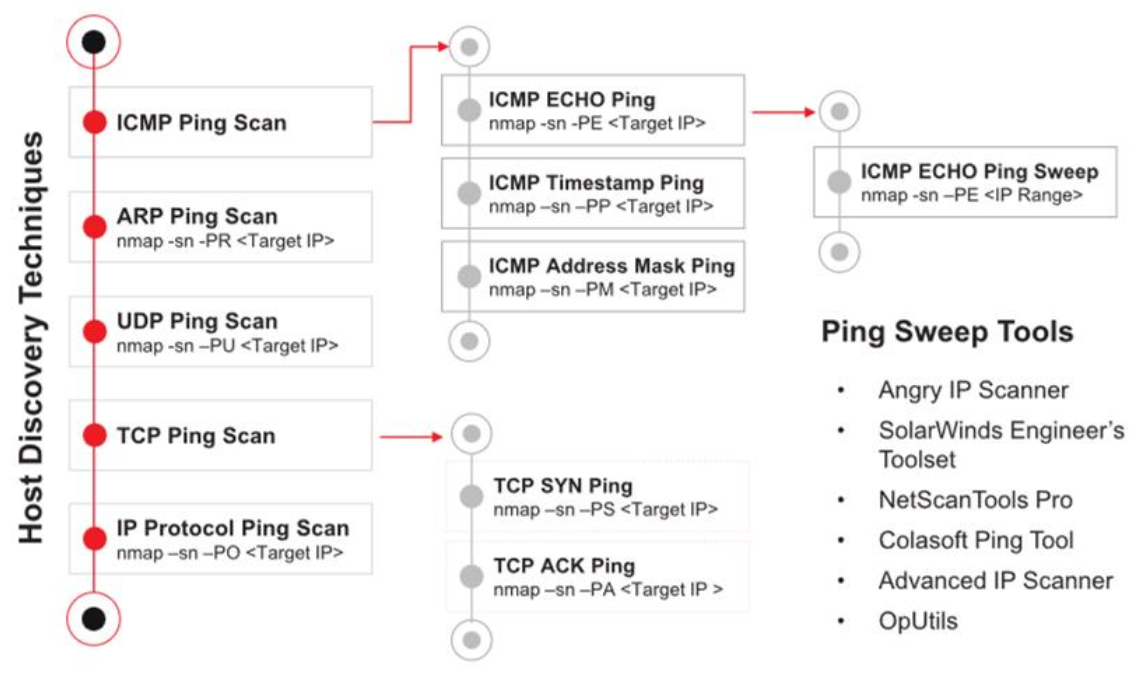
4. Host Discovery Techniques

Host discovery is used to identify live hosts on a network.
4.1 Ping Scan
1
2

nmap -sn <target-network>
📌 Identify live hosts without scanning ports.
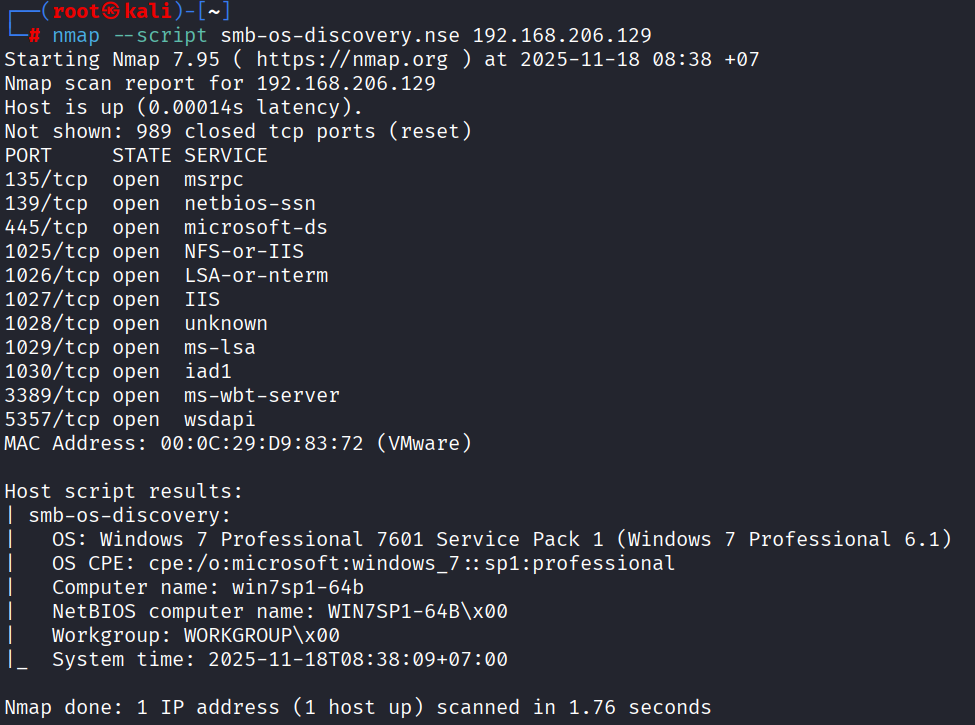
4.2 OS Detection (SMB)
1
2

nmap -sV --script smb-os-discovery.nse <target-ip>
Gather OS information via SMB (port 445).
5. Service & Version Detection
1
nmap -sV <target-ip>
📌 Determines:
- Service name
- Version
- Information banner
5.1 Packet Trace
1
nmap -sT --packet-trace <target-ip>
Used for:
- Observing sent/received packets
- Analyzing scan behavior
- Understanding TCP handshake mechanisms
6. Port Scanning
6.1 Concept

Port scanning is classified by protocol:
- TCP
- UDP
Example: Scan all ports TCP:
1
nmap -p- <target-ip>
7. Nmap Script Engine (NSE)
NSE allows:
- Vulnerability scanning
- Brute-force
- DoS testing
- Service enumeration
📂 Script location (Kali):
1
/usr/share/nmap/scripts/
7.1 Vulnerability Scan
1
nmap -sV -p445 --script vuln <target-ip>
7.2 EternalBlue Detection (MS17-010)
1
nmap --script smb-vuln-ms17-010 -p445 <target-ip>

8. Advanced Scanning Example
1
nmap -sV -O -sC -v -oN nmap-win7.txt -p- <target-ip>
📌 Explanation:
-sV: service version-O: OS detection-sC: default scripts-v: verbose-oN: output file-p-: scan all ports
9. DoS Testing with Nmap (Lab Only)
⚠️ Only for use in labs / permitted environments
9.1 HTTP Slowloris
1
2
nmap -Pn --script http-slowloris --max-parallelism 800 <target-ip>
📌 Check the DoS protection of the Apache server.
10. Lab Questions
How is scanning different from reconnaissance?
When should you use
-Pn?What are the dangers of NSE scripts?
Why not scan for DoS attacks on a real system?
11. Conclusion
Network scanning helps:
- Expand the attack surface
- Identify exploitation targets
- Prepare data for enumeration and exploitation
Effective scanning saves time and reduces the risk of detection.